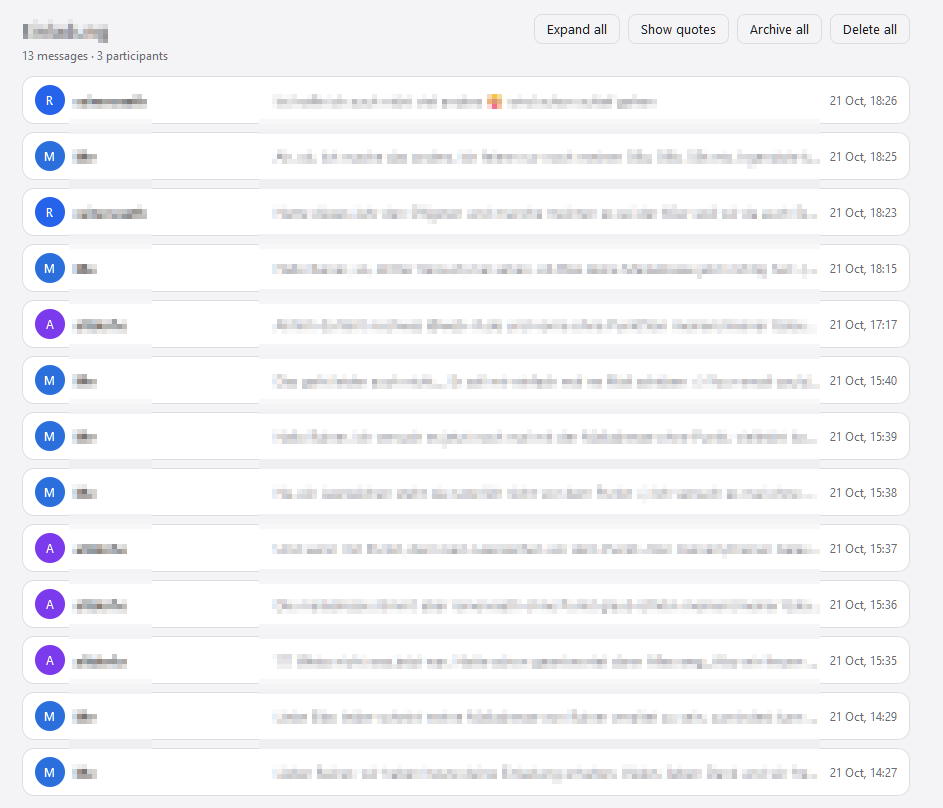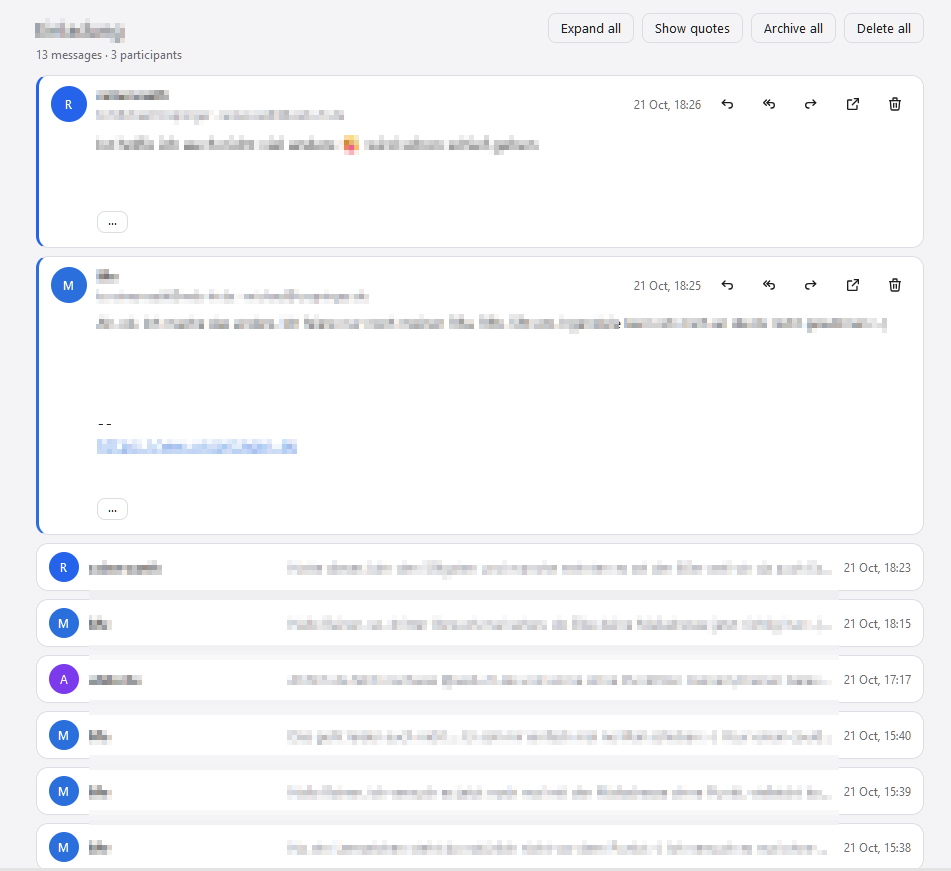

Betterbird and Thunderbird show threads as a tree in the message list. That works, but it’s not always pleasant to read a long discussion that way. So I built a small add-on called Thread View. It shows all messages of a conversation as cards in a tab of their own, newest on top, much like the conversation view in Gmail.
What it does
- Click Thread View in the message header (or press
Alt+T). The whole conversation opens in a tab and scrolls to the message you came from. - The message you opened and all unread messages are expanded, the others are collapsed to one line. Older, already read messages are folded into “N more messages”.
- Quoted text is hidden by default and can be shown per message or for the whole thread.
- Every card has icons for reply, reply all, forward, delete, and “open this message in a normal tab”.
- Attachments can be opened with a click or saved with the download icon.
- Archive all and Delete all act on the entire thread.
- Keyboard:
Esccloses the tab,j/kmove between cards,oexpands or collapses a card. - The interface is available in English and German. In German the button is called “Mailverlauf”.
Privacy
The add-on makes no network requests. It only reads the messages of the thread you open, and remote content in HTML mails stays blocked. The source code is MIT-licensed.
Requirements
Betterbird or Thunderbird 128 or newer. I develop and test it with Betterbird 153.5.0.
Download and install
Get the latest .xpi from the releases page:
👉 https://gitlab.com/m0urs/thread-view/-/releases
In Betterbird, open the menu → Add-ons and Themes → gear icon → “Install Add-on From File…” and pick the downloaded file.
Known limits
Thread detection relies on the References/In-Reply-To headers and the subject line. Old messages with a changed subject and no references can be missing, and the Thread View button is sometimes enabled for a message that is not part of a thread, or greyed out although a thread exists. If you find a case that doesn’t work, please open an issue in the repository: https://gitlab.com/m0urs/thread-view
Screenshots